Product videos from screenshots
Product videos for your app, directed from its screenshots
Paste your website or drop in screenshots. ShotDemo writes the script, moves the camera to each feature, adds a voice, captions and music, and hands you the video in every shape your channels need.
- Free preview before you pay
- No subscription
- No screen recording
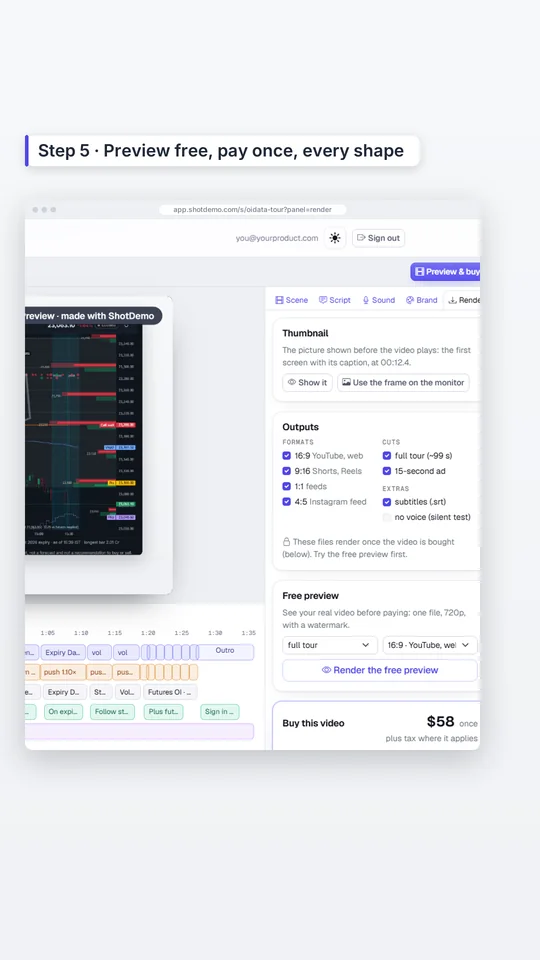
How it works
From screenshots to a finished video in five steps
What you will see in the app, in this order. Every word and every camera move stays yours to edit.
-
01
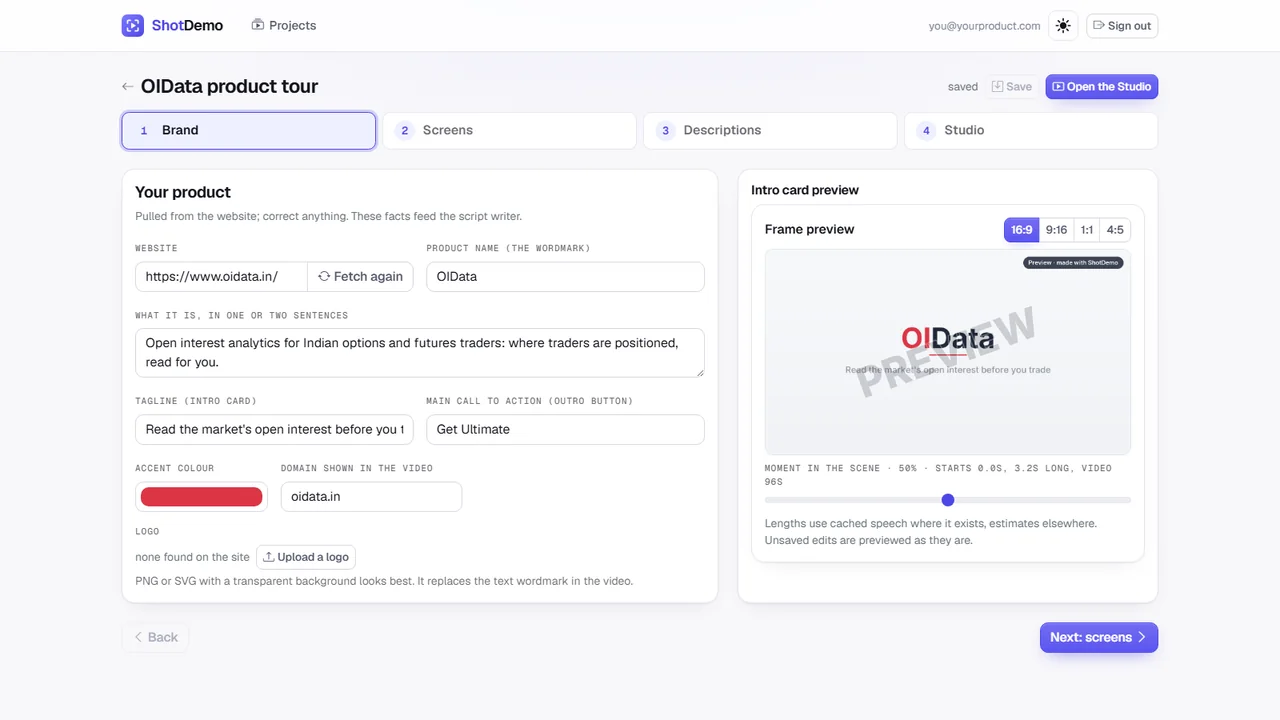
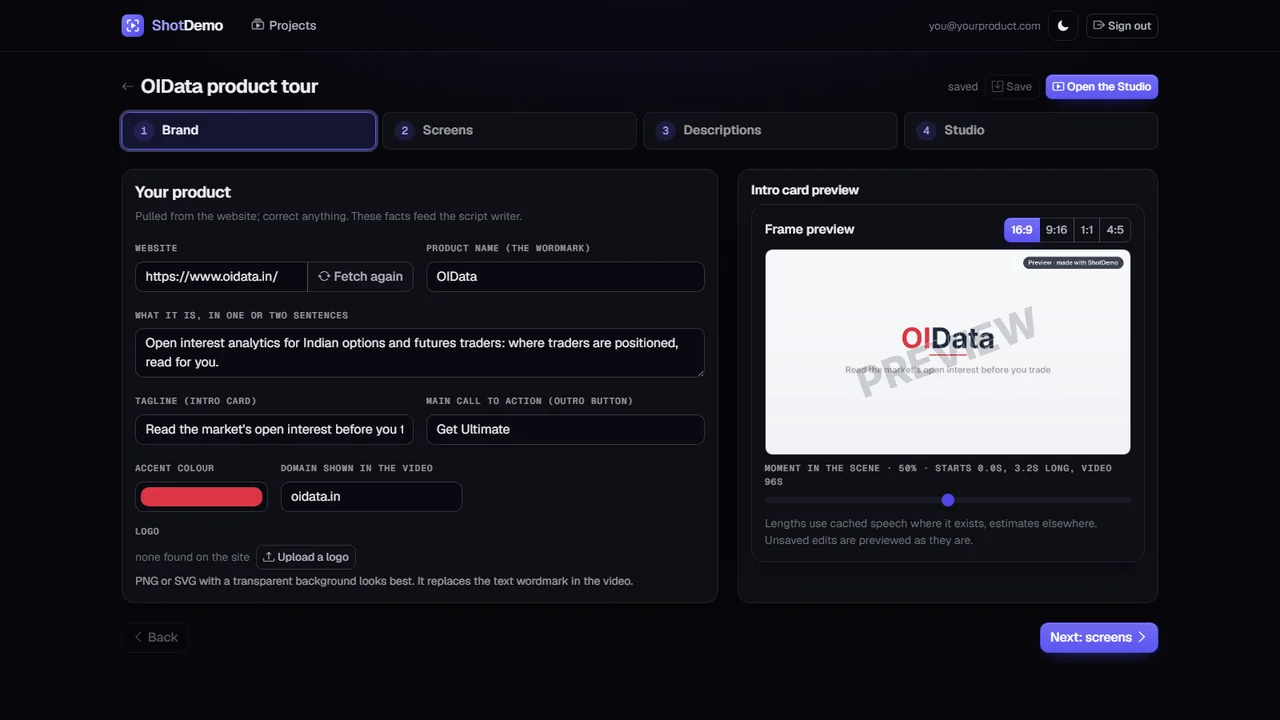
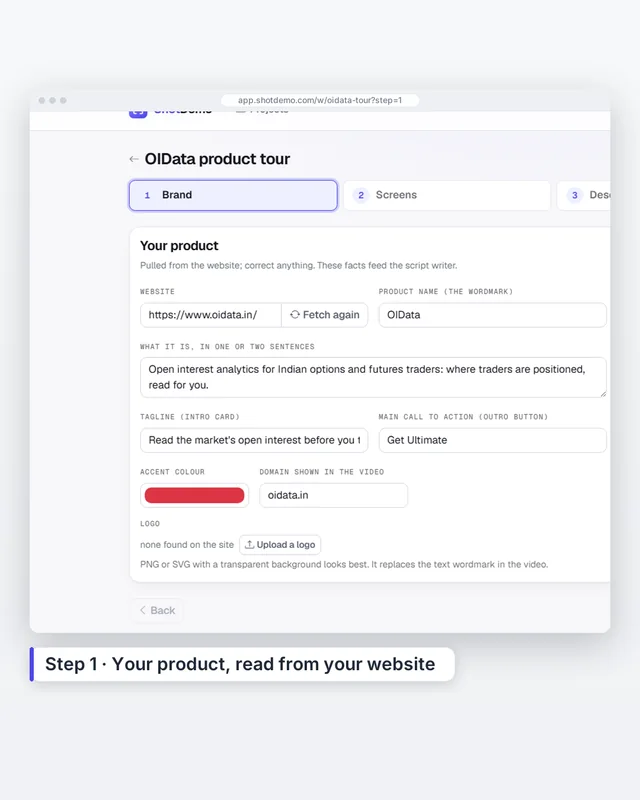
Your product
Paste your website. ShotDemo reads your product's name, description, colours and logo. Correct anything that is off.
-
02
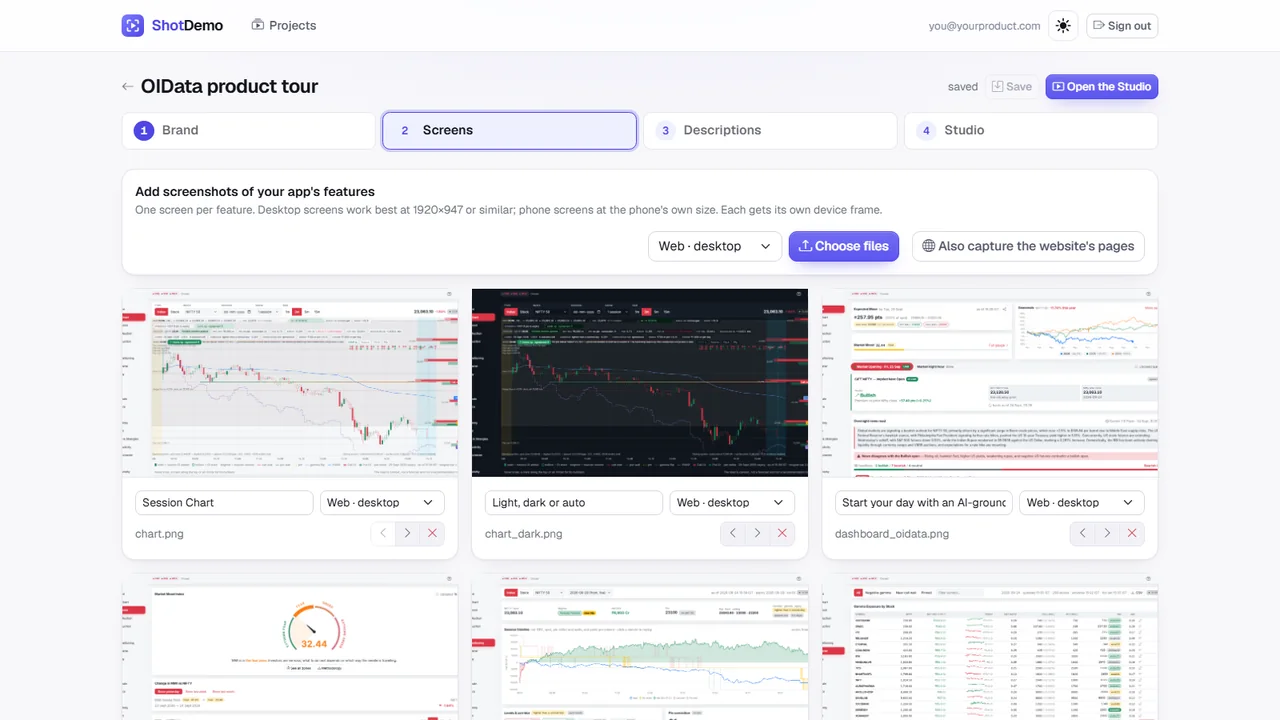
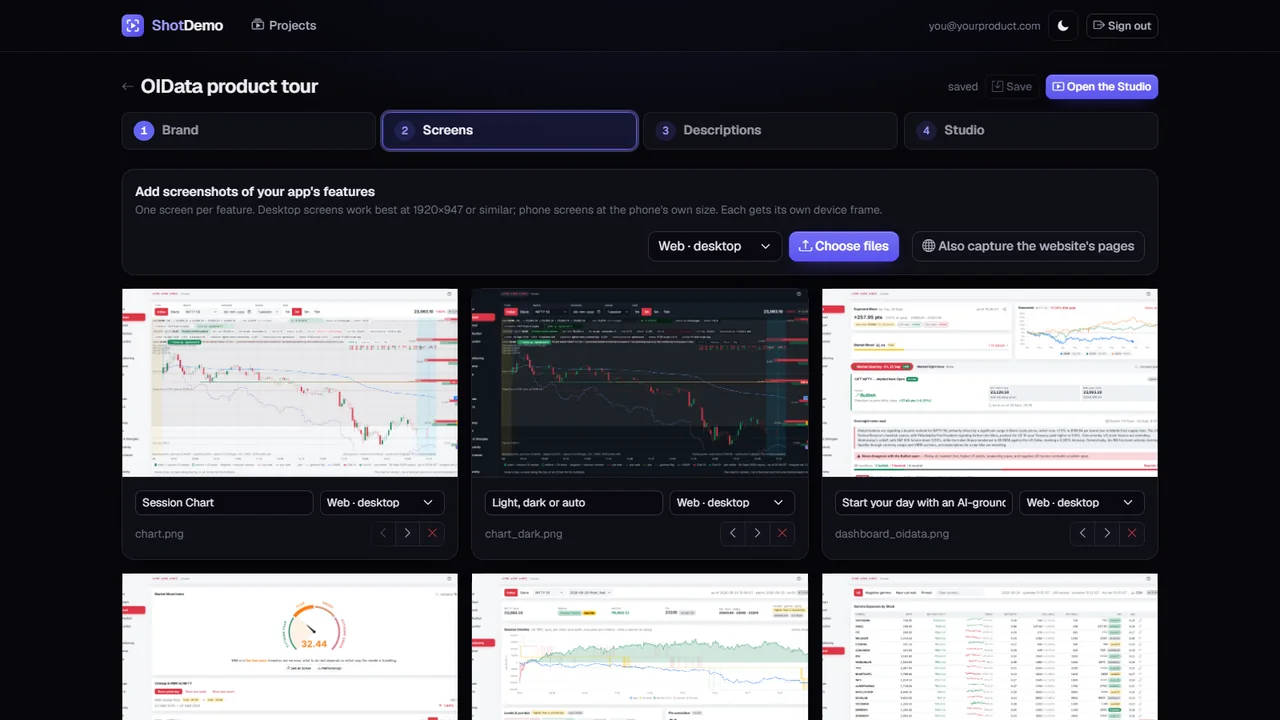
Your screens
Upload screenshots of the features you want to show: desktop, phone or tablet. Each one gets its own device frame. Or let ShotDemo capture your website's pages, as they look on a desktop and on a phone.
-
03
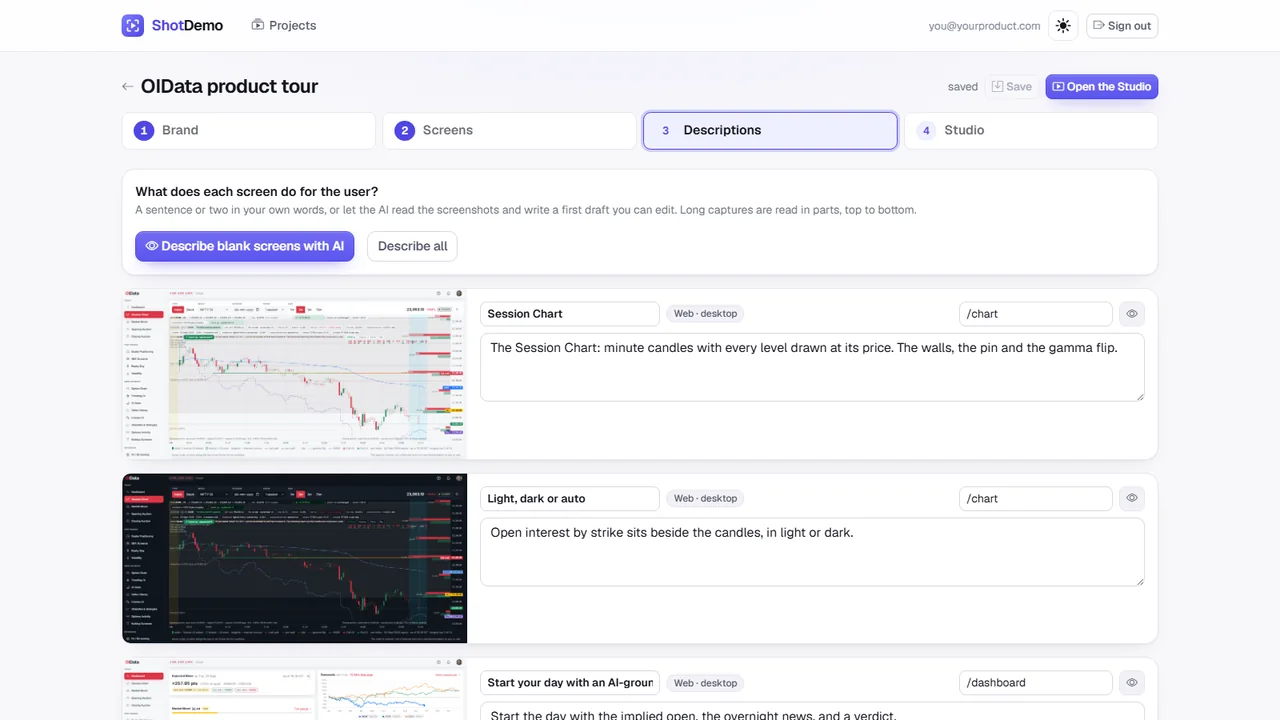
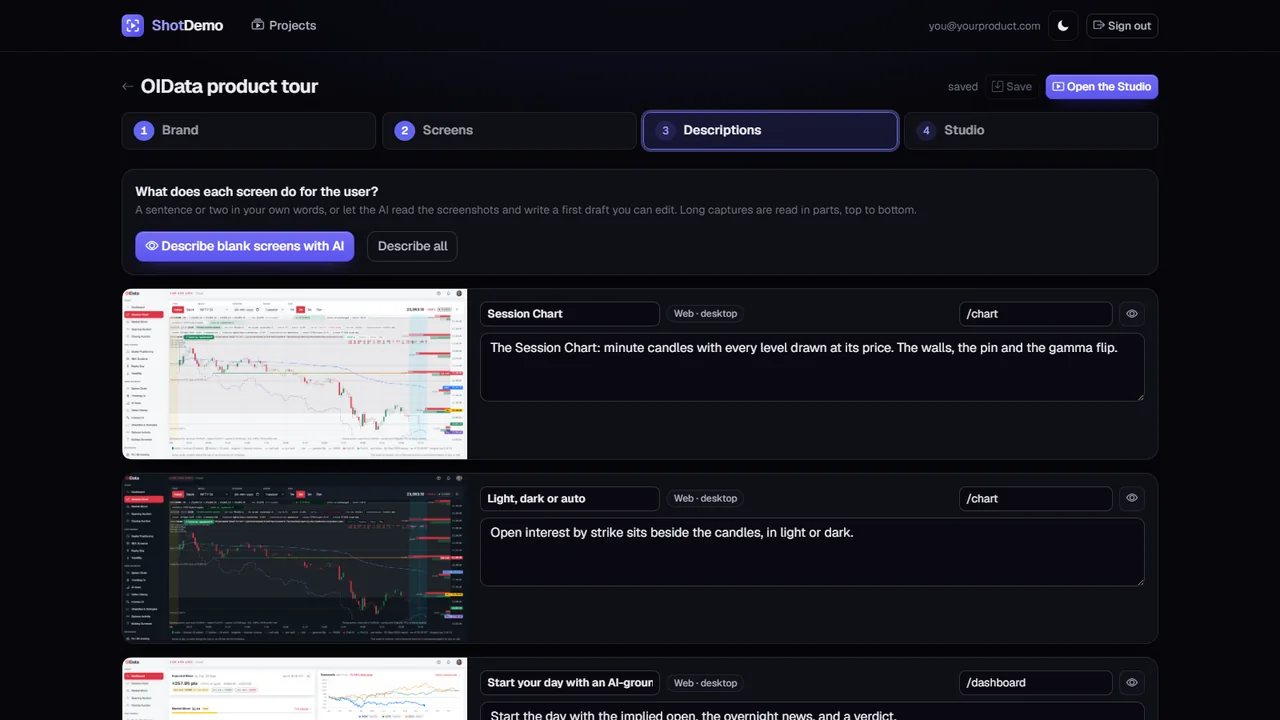
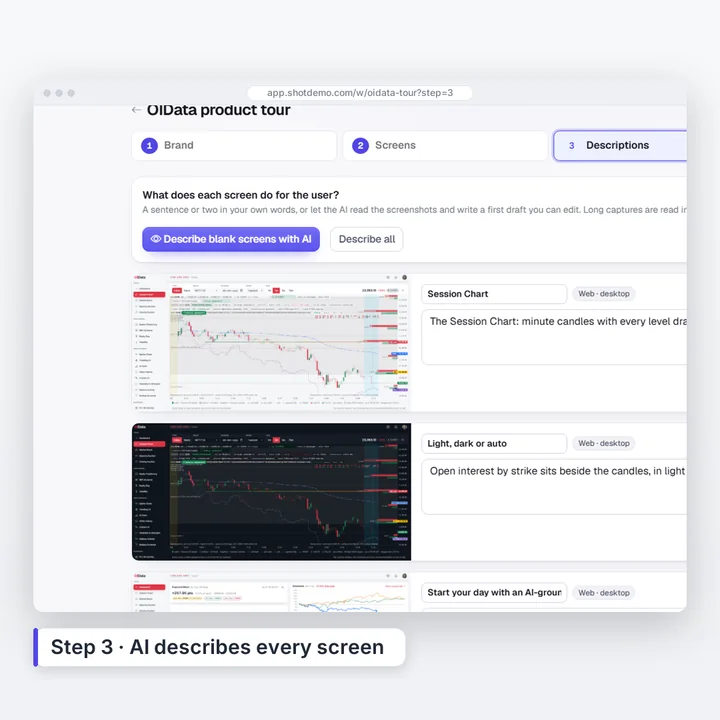
AI describes every screen
The AI reads each screenshot and writes, in plain words, what it does for your user. Correct anything it got wrong.
-
04
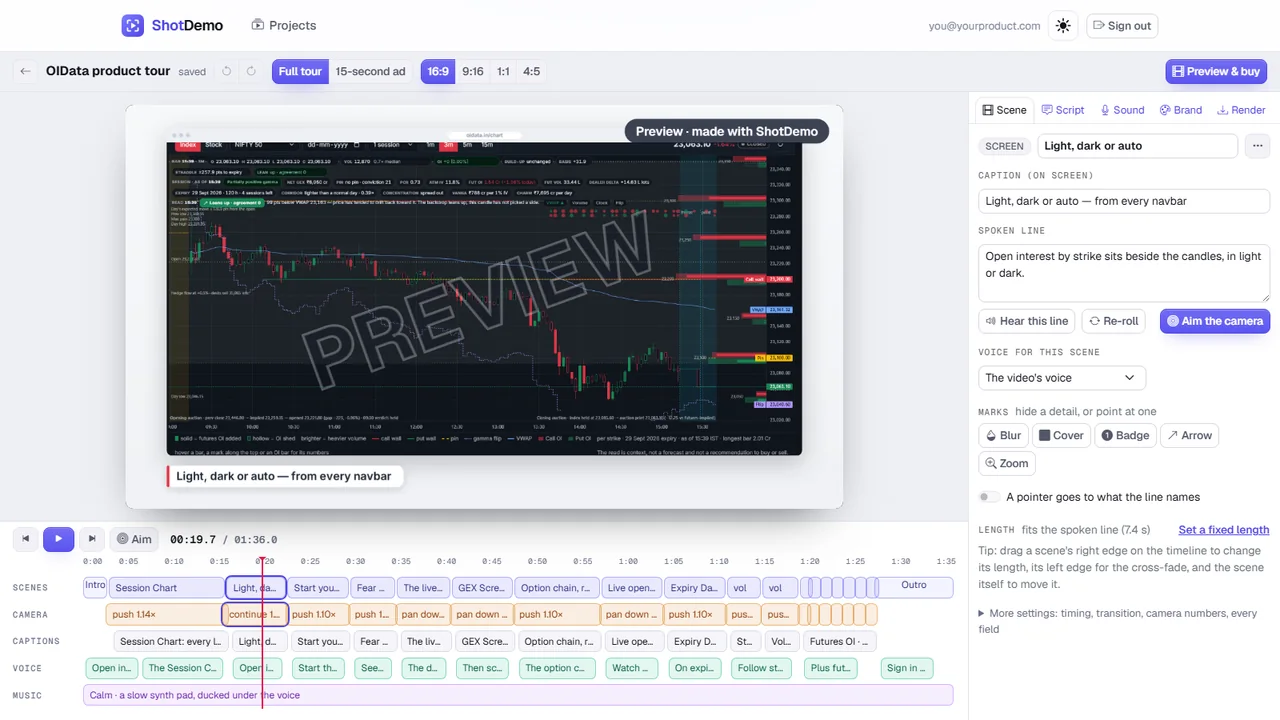
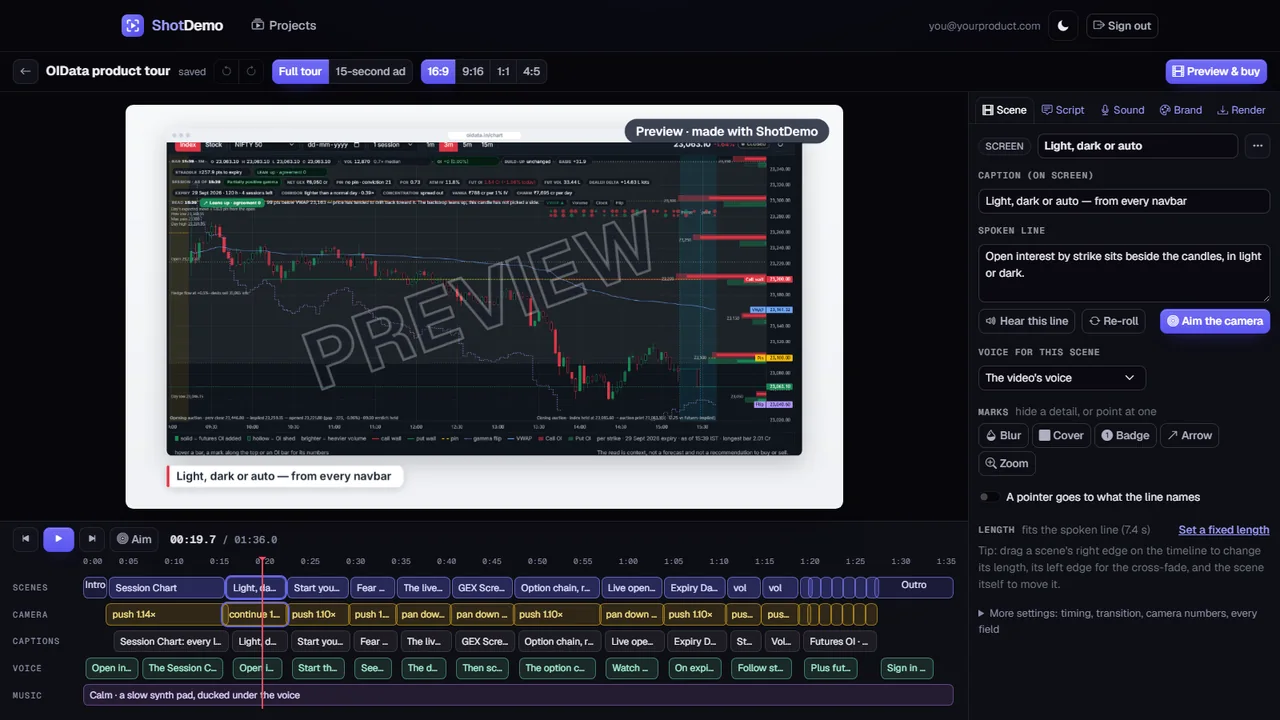
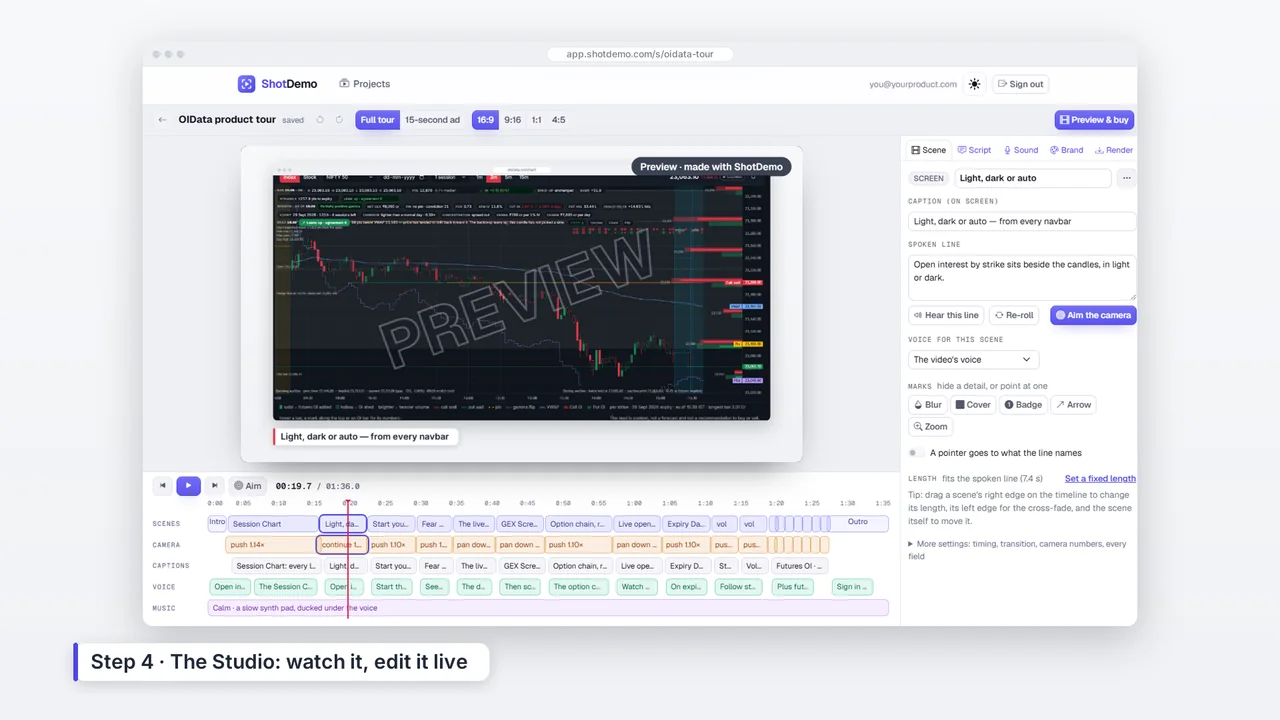
Watch it in the Studio
The AI writes the captions, the voice-over and where the camera goes, and your video plays at once on a timeline. Drag a scene to move it or its edge to change its length, aim the camera on the picture, rewrite any line, add a pointer that clicks, blur a private detail.
-
05
Preview free, pay once
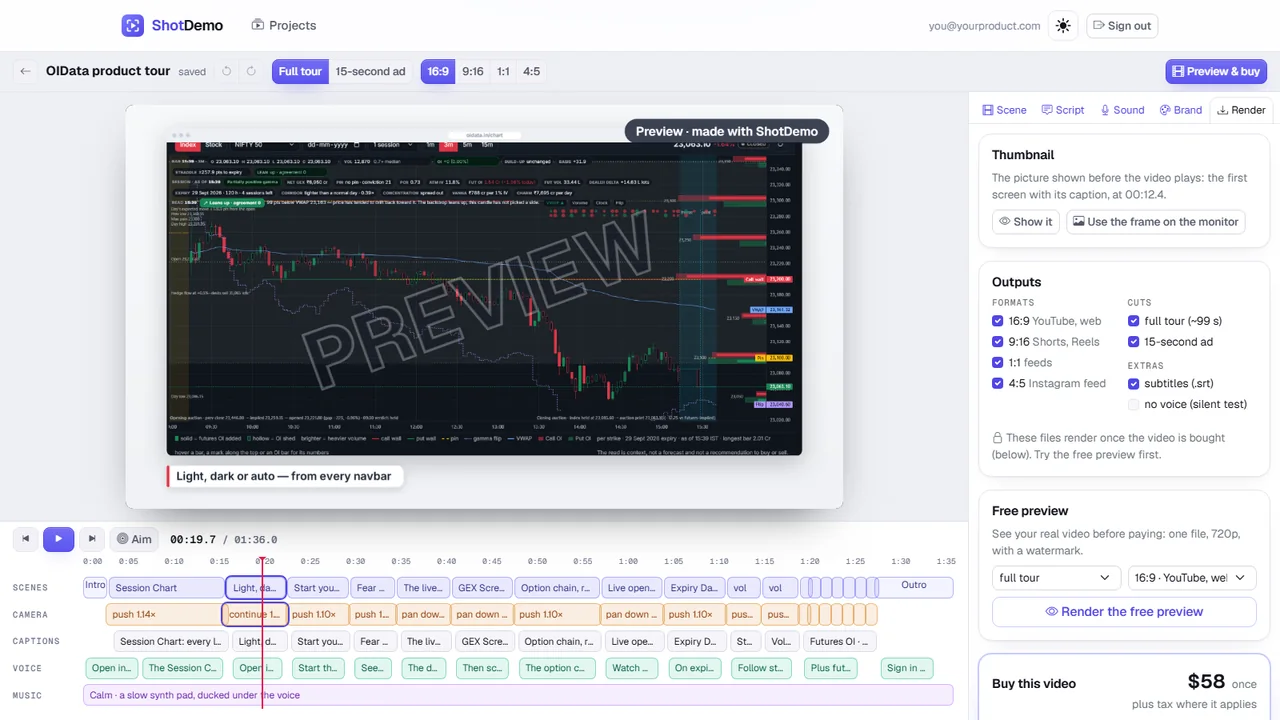
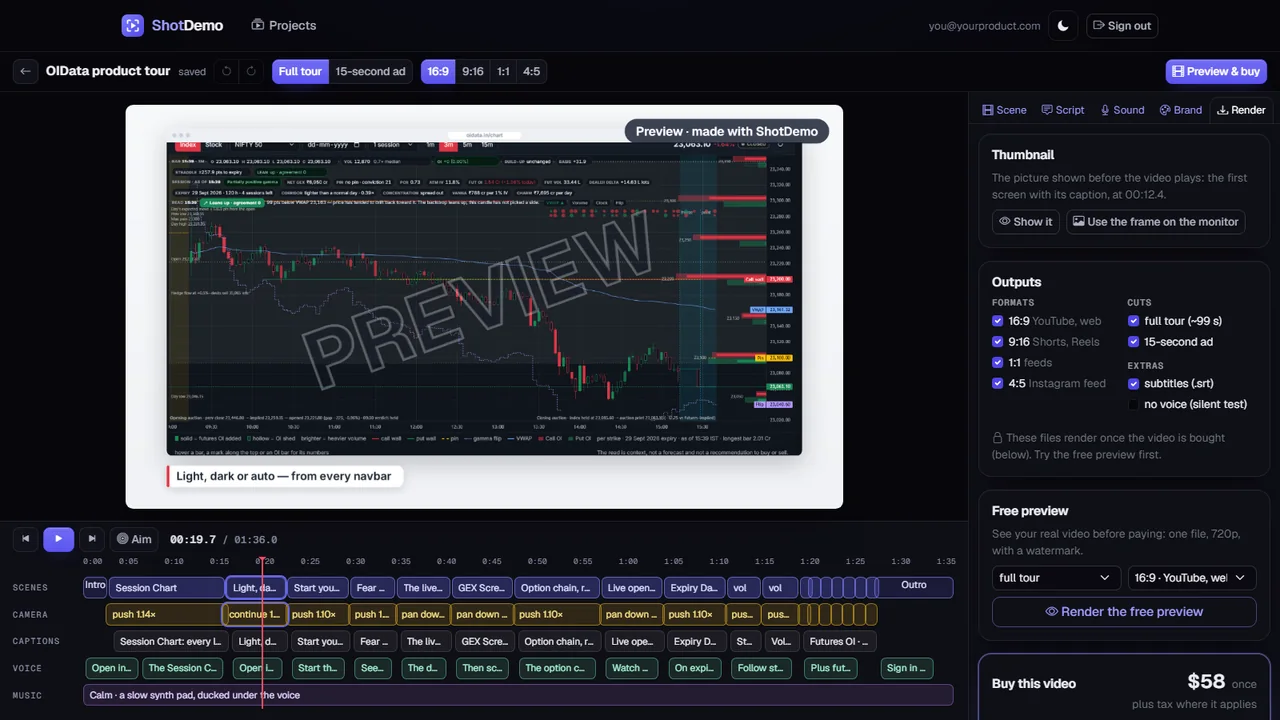
Pick a voice and music, render a free watermarked preview of your real video, then pay once and render every shape.
The camera
Your real screens, never redrawn
AI video generators repaint an app's interface and garble its text. ShotDemo keeps every screenshot exactly as you took it and animates it with camera moves only: a slow push toward the feature a line talks about, a pan down a table, a hold on a header.
- Numbers, labels and charts stay sharp and correct
- Browser, phone and tablet frames in one video
- Highlight boxes and step cards for tutorials
Every shape
One video, every shape your channels need
Each shape gets its own layout and caption row, not a crop of the wide one.
Voice, captions, music
A voice that tells the story
Choose from 24 natural voices in English (US, UK, Australia and India), Hindi, German, French, Spanish, Portuguese and Japanese, and hear a sample before you render. They come from Microsoft Azure and are licensed for commercial use, so your video can run as an ad.
Captions follow the voice, a subtitle file comes with every video, and a music bed sits quietly underneath. Fix a line and render again: lines that did not change are not voiced again.
In every video
Everything a launch needs, in one render
Full HD, no watermark
1080p in every shape: 1920×1080 wide, 1080×1920 tall, square and 4:5.
Captions and subtitles
Captions that follow the voice, plus an .srt file for YouTube and LinkedIn.
Your brand
Name, logo and colours read from your website, on the intro and closing cards.
Device frames
Browser, phone and tablet screens side by side in one video.
Tutorial tools
Highlight boxes and step cards when the video teaches.
Thumbnails
A thumbnail for every video, ready for YouTube and your posts.
Render again, free
After paying, fix a line or swap a screen and render again, as often as you need. A video for a different product is a new video.
Pricing
paid once
Plus tax where it applies. Pay in your own currency at checkout.
- Every shape: 16:9, 9:16, 1:1 and 4:5
- The full tour and a 15-second ad
- Full HD, no watermark, captions and subtitles
- Render again after changes, as often as you need
Free preview first. No subscription, nothing renews.
What a product demo video usually costs
- Freelance editorper demo video$50–800
- Video agencyper demo video$300–1500
- In-house SaaS teamtypical spend per video$800–3000
- ShotDemoevery shape, both cuts$58
Typical prices for a product demo video in 2026.
Questions
Before you ask
Anything else? Write to email@shotdemo.com.
Do I need to record my screen?
No. ShotDemo works from still screenshots, or from your website address, and adds the movement itself.
Will my app's text and numbers look right?
Yes. Your screenshots are never redrawn: the camera moves over the real image, so every label and number stays exactly as you captured it.
What does the AI write?
A short description of each screen, then the captions, the voice-over and where the camera goes. You can edit every line, or regenerate only the words, the order or the camera.
Can I edit the video myself?
Yes. The Studio plays your video on a timeline: move a scene, change its length, aim the camera on the picture, rewrite a line, add a pointer that clicks or blur a private detail, and watch the change at once.
Which shapes and lengths do I get?
16:9, 9:16, 1:1 and 4:5, each as a full tour and as a 15-second ad, with captions, a subtitle file and a thumbnail.
Does it work for mobile apps?
Yes, phone and tablet screenshots get their own device frames and can sit next to desktop screens in one video. ShotDemo is built first for web and SaaS products.
Is it a subscription?
No. You pay once for each video and nothing renews.
Can I change the video after paying?
Yes. Edit a line or swap a screen and render again, as often as you need. A video for a different product is a new video.
Can I use the video in ads?
Yes. The voices come from Microsoft Azure and are licensed for commercial use, and the music bed is made by ShotDemo.
See your product's video before you pay
A free preview of the real thing, then $58 once for the finished files, plus tax where it applies.